
When it comes to connecting with your team, staying organized and keeping your business running smoothly, there are two main technology options: Google Workspace (formerly known as G Suite) and Microsoft 365 (formerly known as Office 365).
 Google Workspace and Microsoft 365 offer many of the same features, including cloud storage and file-sharing options; a selection of apps designed to help you run your business; collaboration tools like chat, audio and video calls; and business email.
Some people have very strong opinions about which one they prefer, but many are on the fence and confused about the differences between the two platforms. If you fall into the latter camp but need to make a decision, keep reading. Outlined below is a comparison between Google Workspace and Microsoft 365 for you to keep in mind as you determine the best platform for you and your team.
Google Workspace: The Basics
Google Workspace provides users with access to cloud storage (plans range from 30GB up to unlimited storage) and robust file-sharing capabilities. You can use Google Workspace to collaborate on a variety of documents in realtime. You can also make projects available for offline editing.
With Google Workspace comes access to a variety of popular Google apps, many of which you and your team likely already uses. Some of the most well-known apps include Gmail, Google Docs, Google Sheets, Google Slides, Google Calendar and Google Keep.
Google Workspace also provides access to Google Sites. Google Sites features a drag-and-drop-style interface that allows you to quickly create team websites.
On the collaboration front, Google Workspace offers both Chat, which is good for messaging with your team, and Google Meet, which allows for easy and secure video conferencing.
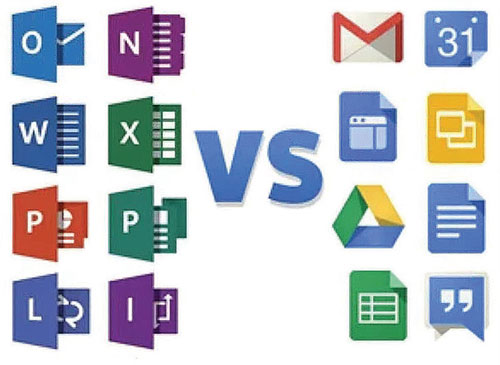 Google Workspace is popular among remote teams because it is cloud-based and allows for easy collaboration. Apps like Calendar and Keep also make it easy to create tasks and establish timelines for different projects.
Microsoft 365: The Basics
Microsoft 365 comes with several different plans, each of which provides users with 1TB of storage. Each plan also provides an additional 50GB of storage towards each user’s mailbox. There is no unlimited storage option for Microsoft 365, but that’s not a problem for most people.
Microsoft 365 includes OneDrive, which is used for easily managing and sharing files. The platform offers several other web-based apps, including Microsoft Word, Microsoft Excel, Microsoft PowerPoint, Outlook, OneNote, Publisher and Access (available on PC only).
Microsoft 365 also offers a variety of high-quality collaboration tools, including Microsoft Teams, which allows users to transition easily from chat to video conferencing. Microsoft 365 also makes it easy for users to share files; edit in realtime; and leave comments, suggestions and more.
Google Workspace v. Microsoft 365: A Closer Look
Now that we’ve addressed the basic features each platform offers, let’s take a closer look at how Google Workspace and Microsoft 365 compare when it comes to the following:
Ease of Use. The good news is that most people find that both Google Workspace and Microsoft 365 are relatively easy to use. If you work in an office environment, there’s a good chance you’ve used at least some of the apps included in these platforms, so you already have a leg up when it comes to figuring out how to use them.
In general, the platform that you find easiest to use will vary depending on your personal preferences and your day-to-day workflow.
Do you prefer to work on a desktop computer? If so, you might find that Microsoft 365 is a better choice. All of the apps integrate with each other and are a bit more efficient on a desktop than on a mobile device.
For those who are already used to or enjoy using Microsoft apps, you’ll likely be more impressed with Microsoft 365.
On the other hand, though, beginners should keep in mind that the apps are very feature-heavy. This can make them intimidating or overwhelming for newbies.
Google Workspace has a very intuitive, easy-to-use interface. This makes it extra inviting and less intimidating for beginners.
Google Workspace also includes a variety of behind-the-scenes features, including auto-save. These kinds of features make the platform more user-friendly, especially for remote workers who are trying to get things done on their own and can’t pop by their neighbor’s desk to ask a quick question.
Personalization. Both Google Workspace and Microsoft 365 offer a variety of customization options for users.
For example, you can use either platform to create a custom-branded email address for your business. All you have to do is purchase a domain (or use your existing business domain) and connect it to the platform using the intuitive setup wizard.
Both platforms also give you access to a variety of calendar and scheduling tools, so it’s easy for you and your team to stay organized, create workflows that work well for your specific needs and keep up with each other from afar.
As you can see, when it comes to personalization, Google Workspace and Microsoft 365 are quite similar. However, Microsoft 365 may have a slight advantage over Google Workspace simply because the platform’s apps come with a more diverse collection of features.
With so many different tools, it’s a bit easier to customize your workflows to suit your needs, eliminate guesswork and ensure nothing falls through the cracks.
Pricing. For many people, pricing is the most important factor to consider when choosing between different platforms.
Fortunately, Google Workspace and Microsoft 365 are both relatively affordable. Microsoft 365’s pricing plan is a bit more complex than Google Workspace’s plan, though.
Google Workspace plans:
• Business Starter: $6 per user per month.
• Business Standard: $12 per user per month.
• Business Plus: $18 per user per month.
• Enterprise: Currently listed as “call for pricing,” formerly $25 per user per month. Call or ask your IT partner for updated information.
All Google Workspace Plans include access to the following features:
• Gmail for business.
• Meet for video conferencing and voice conferencing.
• Chat for secure messaging.
• Shared calendars.
• Google Docs, Google Sheets, and Google Slides.
• Keep for shared notes.
• Forms for survey building.
• Sites (website builder).
• Currents (the new replacement for Google+).
• A minimum of 30GB of Google Drive storage.
• Extensive security and admin controls.
The Google Workspace Business Premium and Enterprise plans both include significant increases in cloud storage. They also add eDiscovery and email options, plus the ability to limit user access based on geographic regions.
Microsoft 365 Plans:
• Microsoft 365 Business Basic: $5 per user per month.
• Microsoft 365 Apps: $8.25 per user per month.
• Microsoft 365 Business Standard: $12 per user per month.
• Microsoft 365 Business Premium: $20 per user per month.
• Office 365 E1: $10 per user per month.
• Office 365 E3: $20 per user per month.
• Office 365 Enterprise E5: $35 per user per month.
All of the Microsoft 365 plans provide you with either a series of cloud-based features, the option to download and install Microsoft Office desktop apps onto up to 15 devices for each user (five Windows PCs or Macs, five tablets and five smartphones), or both. Desktop apps include Outlook, Word, Excel, PowerPoint and OneNote.
Cloud-based services include Exchange Online email hosting (with maximum inbox size of 50 or 100GB); web-based versions of Word, Excel, PowerPoint and Outlook; a minimum of 1TB of OneDrive storage per user; SharePoint online team sites; HD video conferencing; Online meetings (either Skype Meeting Broadcast or Microsoft Teams live events); secure messaging and collaboration via Microsoft Teams; and security and administrative controls.
All Microsoft 365 business plans include appointment-scheduling and expense-tracking software. Enterprise plans, on the other hand, include team-based task management software, advanced analytics, process management tools and additional collaboration software.
If none of Microsoft’s plans suit your team’s specific needs, you can also mix and match individual services to create your own custom plan.
Storage. Both Microsoft 365 and Google Workspace offer storage options that will be adequate for most users. However, when it comes to sheer storage volume, Microsoft 365 wins hands-down. Remember, the default storage for Microsoft 365 is 1TB. Upgrade Google Workspace accounts get this much storage, but basic accounts get a mere 30GB per user.
Depending on the nature of your work, you might be able to get by just fine with a smaller amount of storage. If you care more about extensive storage and are willing to pay a bit more money per user per month to get it, though, Microsoft 365 will likely be a better choice for you and your team.
Collaboration. For teams to function well, especially if some or all of your members are working remotely, you need a platform that supports effective collaboration. Luckily, Google Workspace and Microsoft 365 are very similar when it comes to communication and collaboration tools.
Both platforms offer video conferencing tools, for example, as well as features for voice calls and chat. When it comes to editing documents and collaborating on various projects, though, many teams prefer Google Workspace over Microsoft 365.
All of the apps available through Google Workspace (Docs, Sheets, etc.) are easy to use, whereas some people feel that Microsoft 365’s apps are more complicated or overwhelming because they come with so many features.
Which Should You Choose?
Now that you know more about the Google Workspace versus Microsoft 365 debate, where do you stand?
For those whose top priority is collaborating on documents, Google Workspace may likely provide more bang for your buck. It offers robust live collaboration features and makes it easy for you and your team to work together, even when everyone is doing business remotely.
If you’re looking for a more sophisticated option with more features, Microsoft 365 is likely going to be the better choice. It offers a vast array of applications and still allows you and your team to collaborate with relative ease.
Keep this breakdown in mind and you’ll have no trouble choosing the right platform that helps you and your team get more done.
Bahar Ferguson is president of Wasatch I.T., a Utah provider of outsourced IT services for small and medium-sized businesses.